memorymoon
FAQ
FILTER
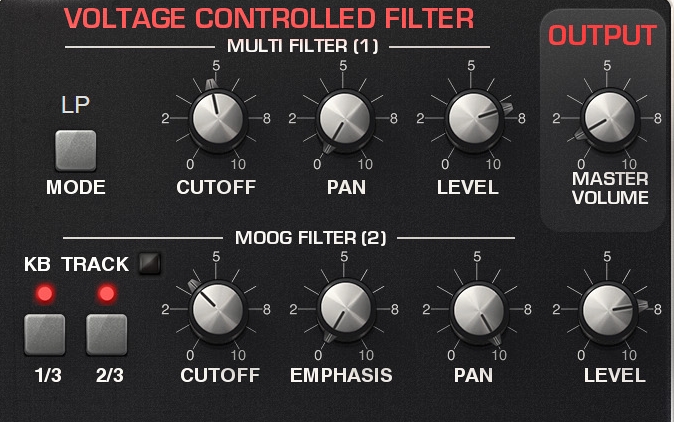
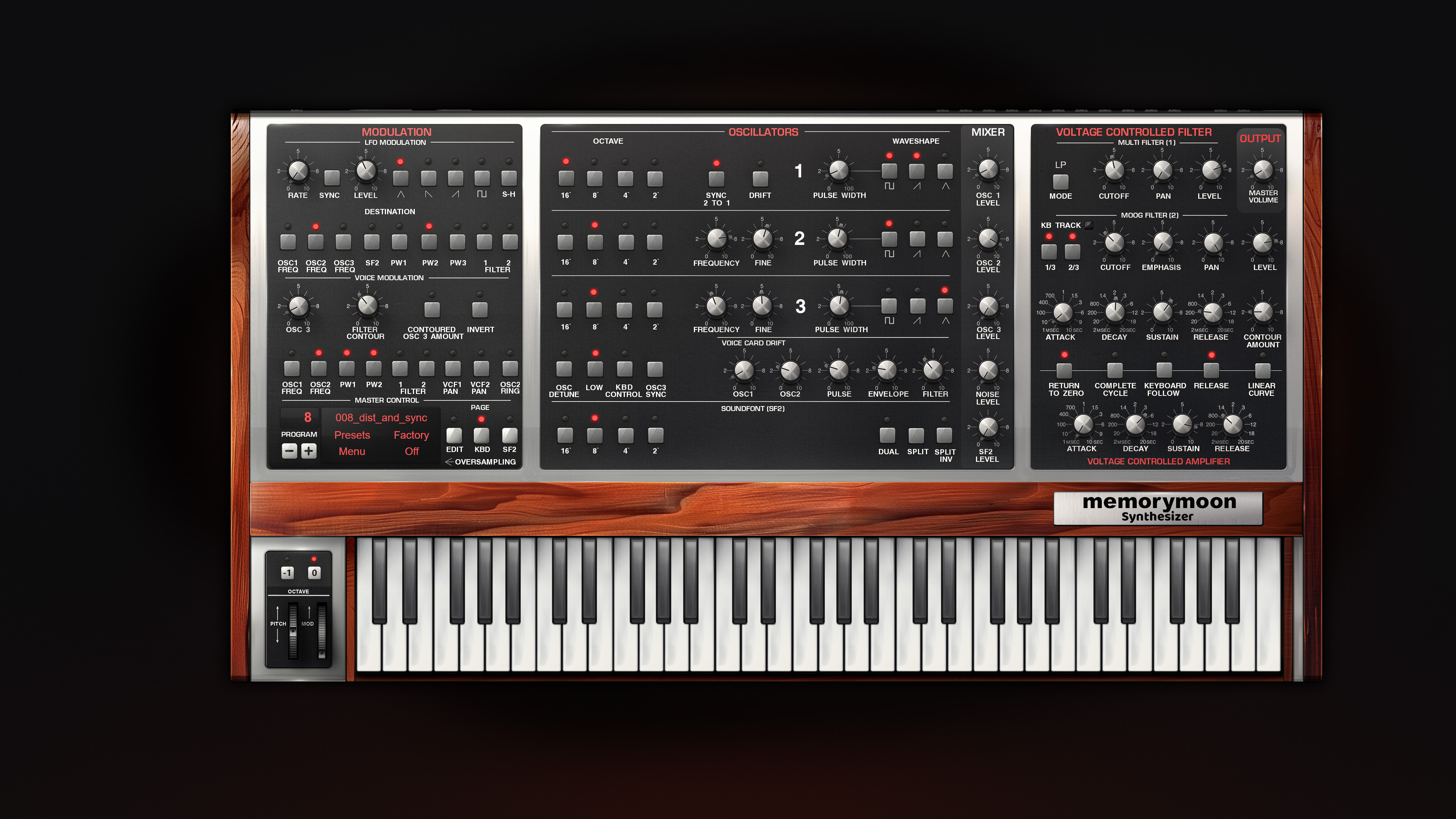
Level: This is balance control for the 2 filters. It is also on/off switches for the filters. (Set volum 0V to save CPU). It is also gain settting for the built in overdrive in filter 2.
Cutoff: Frequencies lower than this setting will pass the filter. (Lowpassfilter). Emphasis= Resonance. Gives more emphasis to the frequency set as cutoff frequency. Emphasis and KB Track is common for both filters.
KB track: Makes the highest notes brighter. It is a cutoff frequency compensation.
Mode: Filter 1 can be in lowpass, bandpass, highpass or notch mode.
Filter2 has large amounts of built in overdrive.
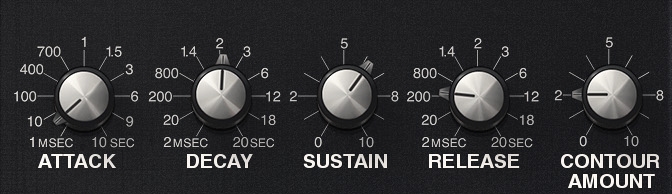
Contour=Envelope. Affects how the sound develop over time.
Here is how to adjust an effect patch using the filter contour:
For a rising effect: Choose attack 6 volts. For a falling effect: Set attack to 0 and decay to 6 volts. Attack is the rising time, decay is the falling time. Sustain is the level after the envelope is finished and you still hold down a key. Release is the fade out time after the key is released.
Contour amount is level for the filter envelope.
The envelope section has a lot of options:
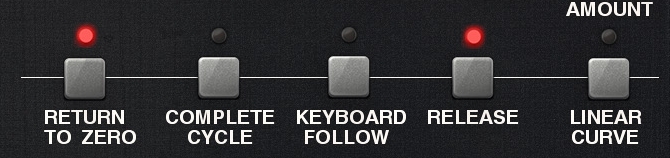
Return to zero: Retrigger envelopes each time you hit a new note.
Complete cycle: Complete attack and release stages.
Keyb. follow: Shorter sounds in the highest ranges. (Like a piano).
Release: Release stage off/on
Linear curve: It is 50% more linear than the standard curve. Linear curve is better for acoustic sounds, while the standard curve is snappy and good for synth sounds.
MODULATION
LFO
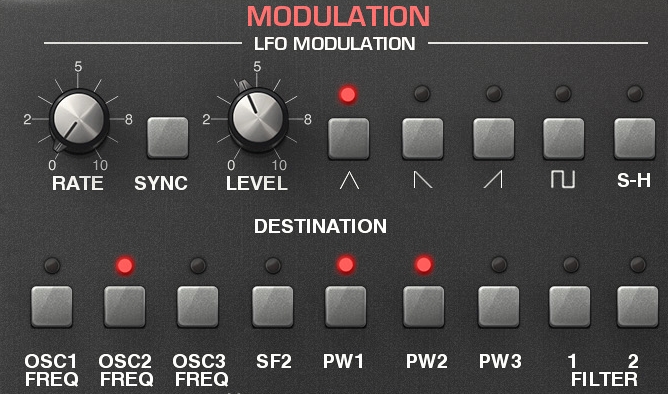
Rate: Speed from 0.1 to 100 Hz.
Sync: Sync to host clock. Overrides rate knob when on.
Level is also available in control section: "Wheel LFO"
SH-waveform may be used as a random generator.
The lower row is destinations:
OSC1 FRQ: Oscillator1 pitch
SOUNDFONT: Soundfont oscillator pitch
PW1: Oscillator 1 pulse wave modulation. (Pulse length).
FILTER1: Filter 1 cutoff frequency.
Voice-LFO: Osc 3 and filter envelope used as modulation signal.
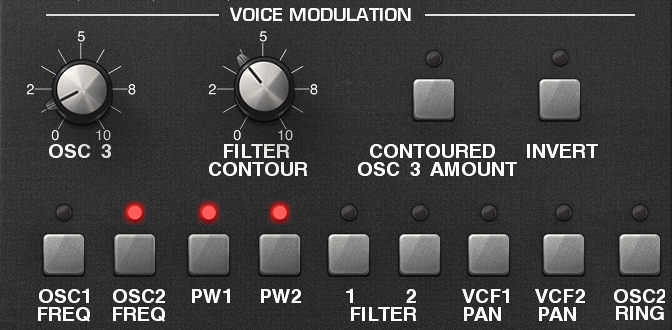
The levels of osc 3 and filter envelope is mixed and used as modulation signal.
Contoured osc amount: Filter envelope modulates the modulation signal.
Invert: The modulation signal is inverted.
The lower row is destinations:
VCF1 PAN: Pan modulation of filter 1
Osc2 ring: Modulation signal sent to osc 2 as ring modulation.
"Drift" in Osc 1 section is controlled by Voice-LFO.
CONTROL
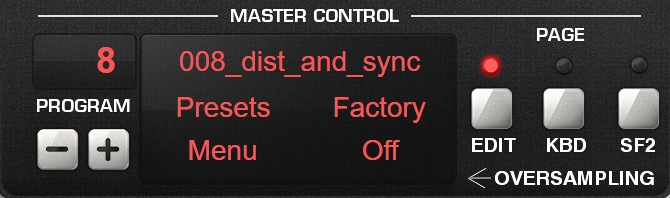
LCD upper line: Preset name.
Presets: Select presets here.
Factory: Preset category.
Menu: Save and Load patches.
"off": Oversampling selector.
Page 1 Edit (All controls in one view).
Page 2 Keyboard
Page 3 Soundfont/Drumloop edit.
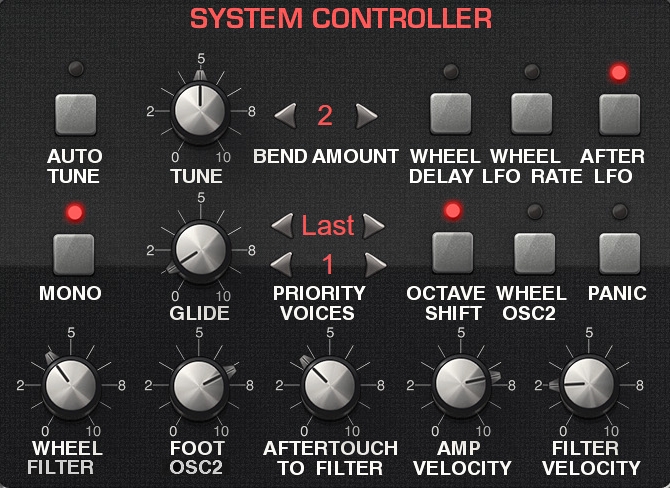
Autotune: Affects master tune knob. Brings the instrument back in perfect tune.
Bend amount: Bend interval in semitones.
Wheel LFO rate: Modwheel increases LFO rate.
Mono: Mono/Unison mode on. 6 voice poly when turned off. Next to the mono button: Select priority and the number of unison voices from 1 to 6.
Octave shift: At strong velocity the osc pitch is one octave higher.
Wheel osc2: This is a weird control intended for distortion. Osc2 is 5 semitones lower when mod wheel is at zero position (for power chords). 'When modwheel is at max osc2 pitch is normal.
Panic: Send "all notes off" midi messages to all parts of the synth.
Wheel LFO: LFO level controlled from modwheel.
Foot filter: Send cutoff voltage from foot pedal CC4. You can click on the "filter" text to make it send to osc2 pitch instead.
After filter: Aftertouch increases filter cutoff frequency.
AMP velocity: Velocity controls output level and envelope speed.
FILTER velocity: Velocity controls filter cutoff frequency.
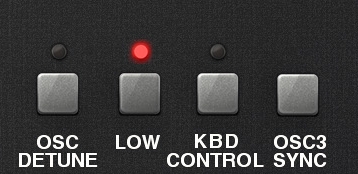
Osc detune: The different waveformes in each oscillator are detuned against each other with a secret amount to make a good chorused sound. Whith this setting on you can make a fat sound from just one oscillator. (This was not possible on the original memorymoog).
Low: Osc 3 in low mode. Used when osc3 is used as slow LFO in the Voice-LFO section. The pitch is 5 octaves lower in low mode. Set "off" for fast LFO.
Keyb. control: Set to "on" you want to use osc3 as an audio oscillator and play it from your keyboard. When on the pitch to follow the keys of your keyboard. When set to off you can use it as a slow LFO and it has the same speed across the keyboard. When on in low mode each note will have different Voice-LFO speed, and the speed will be faster in upper register.
Sync: Sync to host tempo.
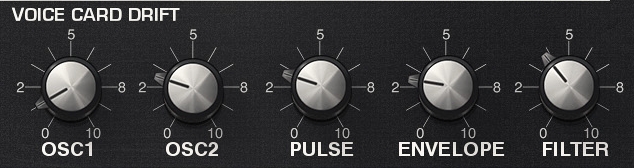
Detune: Each voicecard has different pitch.
Pulse: Each voicecard has different pulse.
Env: Each voicecard has different time offset in the envelopes.
Filter: Each voicecard has different cutoff frequency.
OSC DETUNE: Detuning of the individual waves in each oscillator.
MIXER:
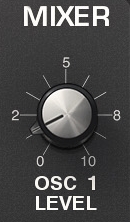
Each oscillator + the noise generator has a level knob in the mixer. Range is 0 - 10 Volt. Note that over 5 volt is overdrive, and the sound will be more overdriven instead of louder above 5 volts.
SYNC
This button forces the pich of oscillator 2 to follow the pitch of oscillator 1. So you set the pitch for OSC 2 in the OSC 1 section. The trick is to sweep the pitch of OSC 2 with the LFO, so that the sync gets some pitch-variations to work with.
GATE / ARP SECTION

Tempo control is also sent to LFO sync, Osc3 sync and Delay sync.
Sync: Sync to host clock. Use this setting when you compose songs. Off mode is intended for live use.
Tempo knob: When you want to set the tempo independently from the host tempo.
BPM: Actual speed display.
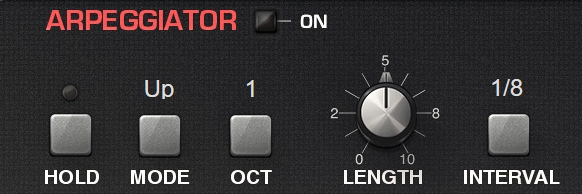
Lenght: Note length. Full is 100%
Octaves: The arpeggiator will work with 1 - 4 octaves.
Hold: The arp will continue to play when you release the keys.
Interval: How the tempo is divided for use with the gate and arp. The LFO, Osc3 and delay has its own divide controls.
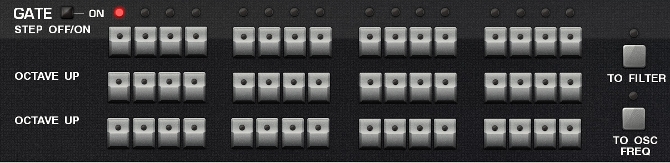
First row: Step 1 - 16 off/on
Second row: Can be sent to filter cutoff or oscillator frequency. (Not to osc3).
Third row: Can be sent to filter cutoff or oscillator frequency. (Not to osc3).
PAGE
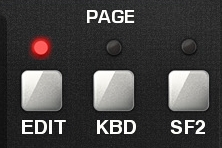
Page1: Edit page. All controls in one view.
Page2: Keyboard page.
Page3: Soundfont and monitor page.
SOUNDFONT PAGE
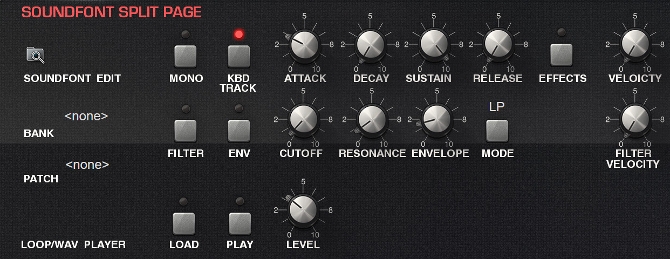
How to load a soundfont: Click on the folder symbol to the top left to load the soundfont. Then select bank and patch in the text field below "BANK" and "PATCH". The soundfont is remembered with patch. Also remember to turn up soundfont volume in the mixer section. And please remember to turn on dual mode or split mode to activate the soundfont section.
Only one envelope is available and can be turned off/on for the filter.
First row is amp. Second row is filter.
The last row is the .wav-player. It will play the loop if the wave file has loop information.
OVERDRIVE
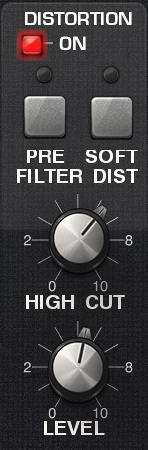 This is distortion. When set to off, the signal is bypassed, and that
will reduce CPU-load.
This is distortion. When set to off, the signal is bypassed, and that
will reduce CPU-load.
Before filter is overdive both before filter 1 and filter 2. Because overdrive must be calculated for 6 voices, and for 2 filters (when both filters levels is higher than 0 volt) it must be calculated for 12 voices in poly mode.So the "before filter" option is very CPU hungry.
When you increase the gain knob, the sound will become more and more like a square wave.
High cut: Will remove the highest frequencies. This is like a speaker simulator. A guitar amp does not have much energy above 5 kHz. With a middle setting (5V) this knob emulates a speaker cabinet. At max setting the sound is clean and uncoloured. High-cut does not work when distortion is in "before filter" mode.
DELAY
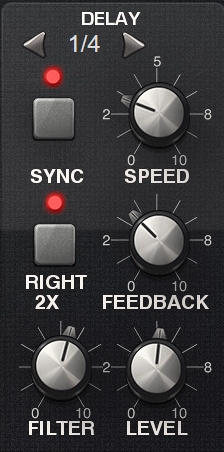
Sync=Syncronization with host clock. Set sync speed with note values.
Sync off: Set speed with SPEED knob.
Right speed 1X: Same speed for left and right.
Right speed 2X: A delay-signal with double speed is sent from right output. If you raise the feedback value the result will be ping-pong delay.
Feedback=Number of repetitions.
MODULATION EFFECTS
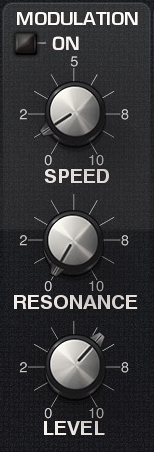
Modulation: off/on and select chorus or phaser.
Level: Dry/Vet balance. 10V is 50% chorus and 100% phaser.
Speed: Modulation speed.
Phazer resonance: Phaser feedback.
REVERB
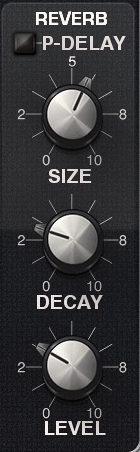
P-delay: Pre-delay. The reverb will start after some milliseconds.
Size: The room size.
Decay: The reverb length. Similar to delay feedback.
AUDIO QUALITY
Oversampling selector is in the lower right corner of the LCD display
Please send me patches if you have created some. I am always interested.
Have fun!
Credits: Built with Synthedit by Jeff McClintock. Modules by: TD - Time Domain Modules, Roy-Tech, Elena Design and Sasha. Betatester: Peter Werner.